News & Insights
How to Troubleshoot Common Issues with Round LCD Displays: Practical Guidelines for Image Retention, Dead Pixels, Cleaning, and Environmental Care
When deployed across corporate reception desks, exhibition showrooms, and luxury retail counters, circular LCD displays typically operate continuously for ten to sixteen hours a da
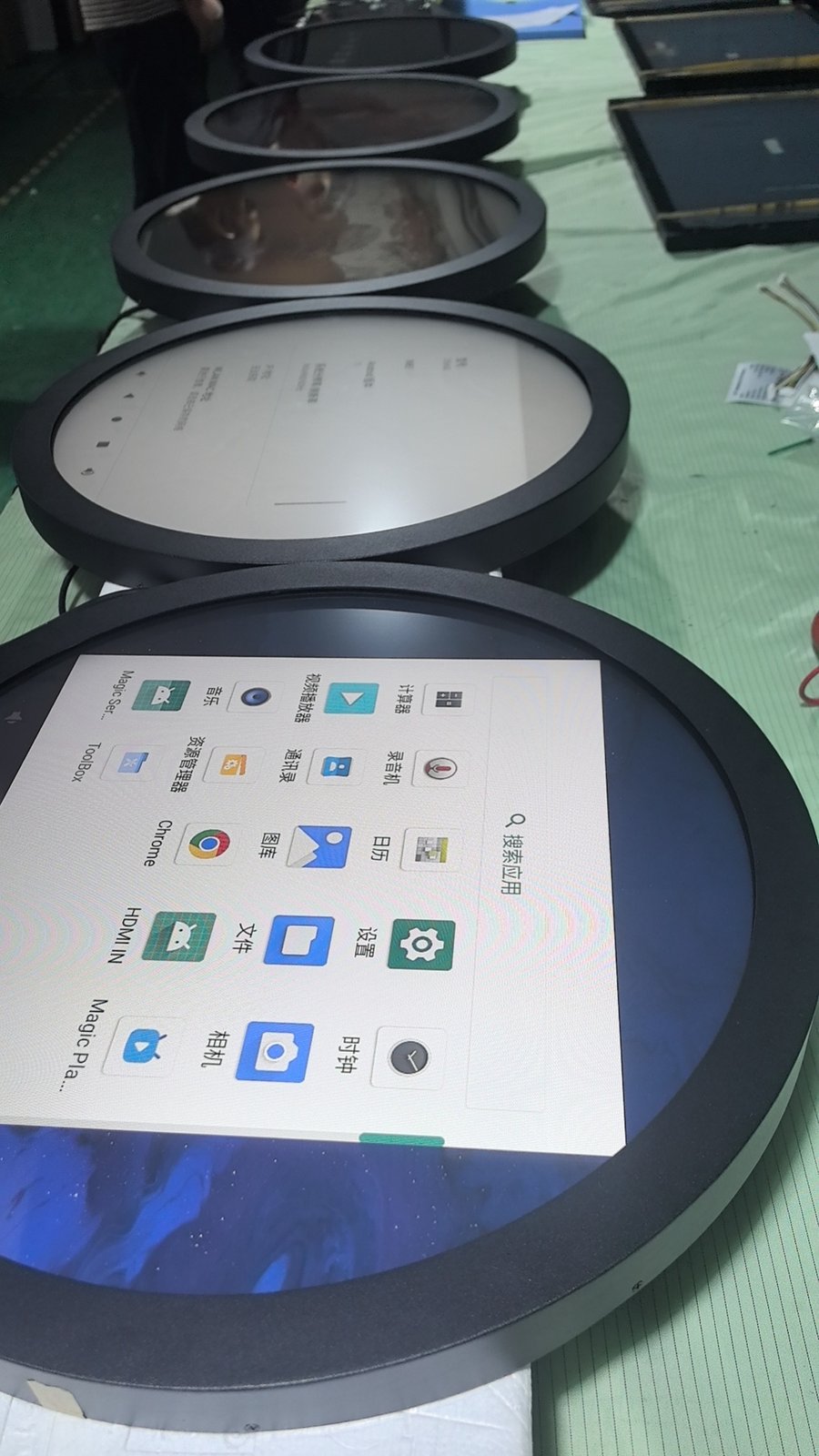
When deployed across corporate reception desks, exhibition showrooms, and luxury retail counters, circular LCD displays typically operate continuously for ten to sixteen hours a day. Over prolonged duty cycles, operators encounter familiar operational issues: faint ghosting outlines lingering on screen, small bright or dark pixel specks, surface smudges from improper wiping, or operational anomalies during summer heat and humid rainy seasons.
Most issues are manageable: understanding root causes and applying disciplined corrective measures prevents operational downtime. Below is a structured troubleshooting and preventive maintenance guide.
1. Image Retention (Ghosting): Content 'Sticking' to the Screen
Symptom: After displaying a static graphic for hours, switching to new content leaves a faint residual silhouette of the previous graphic—such as brand logo edges or static clock dial markers.
Root Cause: When an LCD panel displays a frozen image continuously, localized liquid crystal subpixels experience temporary electric charge accumulation ('pixel memory'). Because circular displays are frequently used to showcase static brand logos or analog clock faces, they encounter image retention more often than dynamic video screens.
Corrective Protocols and Prevention: Rotate content dynamically: avoid leaving frozen static graphics indefinitely. For brand logos, introduce subtle orbital motion, gentle pulsating effects, or rotating animations at periodic intervals. Configure automated power timers to shut down displays overnight, allowing liquid crystal molecules to relax. Avoid running backlights at 100% maximum luminance continuously, as excess heat compounds retention.
Mild image retention typically dissipates naturally after playing full-motion dynamic video for several hours or powering down the unit overnight. If ghosting persists permanently across all content, contact your supplier for diagnostic support.
2. Dead Pixels: Fixed Bright or Dark Points
Symptom: A specific pixel point permanently glows bright red/green/blue (stuck pixel) or remains dark black (dead pixel) regardless of displayed content.
Root Cause: Subpixel transistor driver failure within the active matrix panel substrate. This represents hardware defect rather than surface dust.
Diagnostic and Corrective Measures: First, wipe the spot gently with a clean microfiber cloth to rule out surface dust. Once confirmed as a dead pixel, evaluate quantity and location: isolated single subpixel defects situated along outer edges and invisible at normal viewing distances do not impair functionality. If pixel clusters emerge, appear centrally within focal sightlines, or multiply over time, contact your supplier.
Subpixel defect tolerances (ISO 9241-307 standards) vary across commercial panel foundries; confirm warranty replacement thresholds during procurement and formalize them in contracts.
3. Cleaning Best Practices: Unique Considerations for Round Screens
Foundational Procedure: Power down the display and allow the panel to cool completely. Use a soft, clean microfiber cloth, wiping gently without abrasive pressure. For stubborn smudges, slightly moisten the cloth with clean water—wringing it until practically dry—before wiping. Never spray cleaning fluids directly onto the glass face.
Approved Cleaners: Avoid products containing alcohol, ammonia, acetone, or aggressive solvents that strip anti-glare optical coatings. If utilizing dedicated optical screen cleaners, spray liquid onto the cloth first, following manufacturer instructions.
Wiping Technique: Because circular screens lack straight edges, wipe gently from the center outward in radial strokes, or follow the circular circumference smoothly in one direction. Avoid aggressive circular scrubbing or heavy localized pressure against the glass face.
Perimeter Seams and Bezel Gaps: The circular perimeter gap between bezel and glass face is where dust and moisture accumulate. Keep wiping cloths wrung dry to prevent capillary action from drawing liquid into internal edge electronics.
Touchscreen Models: Interactive touchscreens accumulate fingerprints and skin oils rapidly; increase wipe-down frequency, verifying touch calibration post-cleaning.
4. Operating Environment: Key Factors to Manage and a Myth to Correct
Thermal Heat: Avoid placing displays under direct, unshaded solar baking, adjacent to HVAC heating vents, or inside unventilated alcoves. Elevated temperatures accelerate semiconductor and liquid crystal aging while forcing thermal protection dimming. Recessed installations must preserve convective ventilation space.
High Humidity: Moisture oxidizes connector pins and degrades circuit boards. In coastal or humid regions, maintain ventilated airflow, utilizing dehumidification where necessary. If circular displays are embedded into dining tabletops or bar counters, guard against liquid spills and condensation.
Airborne Dust and Liquids: Regularly clear dust from cooling vents, and seal tabletop screens against beverage splashes.
Correcting the 'Strong Magnetic Field' Myth: Traditional literature warned that magnetic fields distort screens—a legacy conclusion from cathode-ray tube (CRT) monitors. Modern LCD panels utilize electric fields and are not magnetically deflected by standard magnets or audio speakers. What does require vigilance is heavy electromagnetic interference (EMI) from high-power industrial motors or heavy transformers routed adjacent to video signal and touch cables, which can induce video noise or touch drift. If noise occurs, segregate video cables from high-voltage AC lines.
5. Specific Operating Nuances of Round Displays
Keep Critical Content Within Circular Safe Zones: The four corners of rectangular media are cropped off; position essential logos, typography, and buttons centrally within the circular boundary to prevent clipping.
Edge Touch Sensitivity: On touch-enabled circular screens, capacitive touch sensitivity along extreme curved perimeters can be slightly less responsive than center areas; test edge button layouts during UI design.
Software Screen Orientation: Circular displays possess no inherent physical top; visual orientation is governed electronically in software. If orientation appears tilted, adjust system rotation settings rather than unmounting the unit.
Recessed Thermal Dissipation and Servicing: When embedding circular screens into walls or tabletops, ensure rear cooling vents remain unobstructed and service hatches remain accessible.
Recommended Routine Maintenance Cadence
Daily: Confirm normal startup display and touch responsiveness upon opening; power down or activate sleep timers upon closing.
Weekly: Wipe optical glass and bezels, inspecting for newly emerged dead pixels, retention silhouettes, or physical scratches.
Monthly: Check structural mounting fasteners for tightness, examine cable connectors for pin oxidation, and ensure cooling vents are clear.
Quarterly / Seasonally: Check humidity protection before rainy seasons and test cooling performance before summer heat, engaging technicians for comprehensive diagnostic audits.
Situations Requiring Certified Service Personnel
Immediately contact professional support if: screens exhibit large-scale glitching, permanent lines, or localized light leakage; units enter reboot loops or fail to boot; burning odors, smoke, or abnormal heat are detected; equipment suffers water flooding or physical impacts; or dead pixels multiply continuously.
Commercial kiosks house high-voltage inverters and delicate electronics. Unauthorized disassembly risks electric shock, secondary damage, and warranty forfeiture.
Frequently Asked Questions (FAQ)
Is image retention permanent on circular LCD displays?
Mild retention is typically temporary and dissipates after playing dynamic video loops or resting the display. If ghosting remains permanent, contact your supplier for diagnostic support.
Do a few dead pixels require immediate panel replacement?
Isolated, minor dead pixels along outer edges do not impair functionality. If pixel clusters emerge centrally or multiply, contact your supplier and review warranty terms.
Can isopropyl alcohol wipes be used to clean the screen face?
It is not advised; alcohol can strip optical anti-glare surface coatings. Consult manufacturer guidelines and use optical microfiber cloths lightly moistened with clean water.
What is the typical operating lifespan of a circular LCD screen?
Lifespan depends on panel grading, thermal dissipation, and routine care. High-grade commercial panels deliver 50,000+ operating hours under certified maintenance.
Conclusion
Most operational issues on circular LCD displays can be prevented through straightforward habits: rotating dynamic content, automating nightly power rest, wiping screens properly, and managing ambient heat and moisture. Integrating these practices with circular safe-zone design ensures your circular displays deliver reliable, long-term visual distinction.
ZXTLCD specializes in the design and manufacturing of shelf-edge stretched bar displays and specialized custom-format LCD screens, spanning stretched bars, square displays, and round screens, supporting comprehensive OEM/ODM engineering. If your circular display encounters operational challenges, share your environment and symptoms with our technical team for prompt support. Official website: www.shelflcd.com
Looking for customized commercial Round LCD Screen Maintenance & Troubleshooting solutions, high-definition displays, or Round LCD Screen Troubleshooting, Circular Display Maintenance, Round Display Image Retention Fix hardware? Feel free to contact the ZXTLCD engineering team for engineering specifications, CAD drawings, and factory-direct volume quotes.
Featured Commercial Hardware: Explore our high-performance 23.6 Inch Custom Circular TV PCAP Touch Round LCD Display Module and Round Lcd Screen Wholesale 23.6 Inch Circle Ips Digital Signage engineered specifically for demanding modern digital signage spaces.