Oct 12, 2026Buying Guides
Round Display Customization Factors: Active Area, Optical Bonding, Thermal Design, and CMS
Round display customization requires careful consideration of size, optics, touch, structure, and environment to create optimized display solutions.
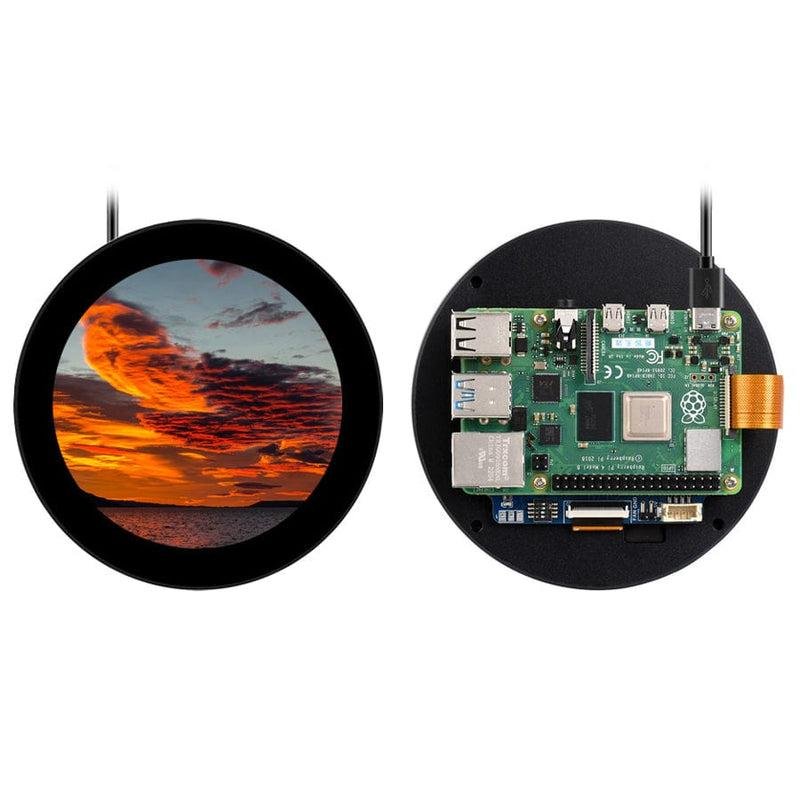
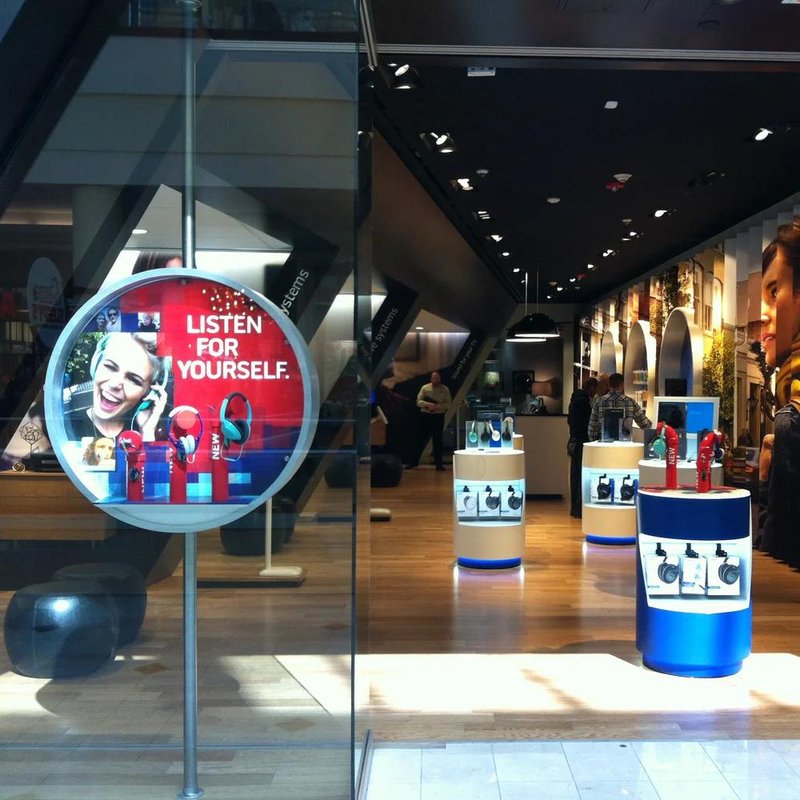
Deploying an advanced Round Display Customization Factors provides commercial venues with a distinct, form-factor-optimized digital signage solution. With the rapid advancement of smart hardware, commercial retail digital signage, and industrial automation controllers, display form factors are steadily evolving from standardized rectangular shapes toward customized, product-specific geometries. Compared with traditional rectangular displays, round display screens deliver unmistakable visual distinction and integrate seamlessly into circular product enclosures—making them an increasingly popular choice for smart gauges, interactive terminals, and branded retail showcases.
However, customizing a round display screen is far more involved than simply shaping a standard screen into a circle. Because the active viewing area, mechanical footprint, controller interfaces, and operating environment all directly determine final performance, engineering teams must evaluate multiple key factors upfront to specify the optimal display solution.
1. Define Display Specifications Around the Application Scenario with a Round Display Customization Factors
Different operating environments place vastly different technical demands on a round display screen.
For industrial equipment and instrumentation, top priorities include display stability, continuous long-term reliability, wide temperature tolerances, and rugged mechanical mounting. Optical parameters and structural designs must be tailored to rigorous factory or field environments.
For commercial retail showcases and brand displays, visual presentation takes center stage—requiring high brightness, rich color saturation, wide viewing angles, and sleek exterior finishes that elevate brand aesthetics.
Before initiating customization, clarify the display's primary function, mounting location, and user interaction model. The more precisely the application scenario is defined, the more accurately the custom display architecture can be engineered.
2. Plan Screen Dimensions and Mechanical Clearances Early
The diameter of a round display is governed not only by UI content requirements, but also by the physical limits of the device enclosure.
During the mechanical design phase, engineers must verify the active display diameter, module outline dimensions, total thickness, mounting position, and internal space layout. Careful attention must also be paid to FPC cable exit positions, mounting brackets, and potential interference with adjacent internal electronics.
For instance, a round display module of the exact same diameter will require completely different structural mounting and sealing designs when integrated into a desktop smart home hub versus a heavy-duty industrial control panel.
Validating mechanical clearances upfront eliminates costly dimensional mismatches during prototyping.
3. Optical Performance Shapes the End-User Experience
Beyond physical shape, optical specifications form the core of any custom round display project.
Resolution should be matched to the complexity of the displayed content. If the screen primarily displays numerical parameters, dial indicators, or basic status icons, a moderate resolution is sufficient. If the interface renders high-definition imagery, smooth UI animations, or detailed graphics, high pixel density is essential.
Brightness must align with ambient lighting conditions. Indoor smart devices prioritize eye comfort and accurate color reproduction, whereas semi-outdoor kiosks or brightly lit commercial spaces require high-brightness backlights to maintain crisp legibility.
Viewing angle performance is equally important. When a display is viewed from multiple angles or shared by several users, full-viewing-angle IPS technology ensures consistent colors and clarity without distortion.
4. Determine Touch Interaction Requirements Upfront
Many round displays serve not only as information screens, but also as primary interactive control interfaces.
If the product requires tapping, swiping, or rotary menu navigation, touch panel integration must be factored into the initial design.
Touch technology selection depends heavily on the operating environment. Commercial retail and consumer devices prioritize sleek multi-touch responsiveness and smooth glass surface treatments, while industrial terminals may require thicker cover glass (IK-rated impact protection), glove touch support, or water/moisture rejection.
Because adding a touch sensor and cover lens alters module thickness and bezel step structures, touch requirements should always be locked down at the beginning of the project.
5. Controller Driving Solutions and System Compatibility
As specialized display hardware, custom round displays require driver boards and signal interfaces matched to their specific resolution and form factor.
During development, engineering teams must verify signal interface compatibility (such as MIPI, LVDS, RGB, SPI, or HDMI/Type-C via A/D scaler boards) with the host processor or motherboard.
When integrating a round display into an existing host platform, verify video output timing, circular UI orientation, and operating system driver support early in the process.
Properly matching the driving architecture minimizes firmware debugging time and accelerates overall product development.
6. Structural Engineering Ensures Mounting Integrity and Reliability
Because the display module must integrate securely into the complete device assembly, mechanical engineering is a vital aspect of customization.
Key considerations include bracket fastening methods, bezel sealing, thermal dissipation clearance, and ease of disassembly for maintenance.
In industrial machinery, mechanical rigidity directly ensures resistance to shock and vibration over years of operation. In commercial digital signage, structural design must balance secure public mounting with sleek, minimalist visual appeal.
Sound structural engineering protects the LCD cell while elevating the build quality of the finished product.
7. Environmental Conditions Dictate Protection Ratings
Operating environments impose distinct durability requirements on round display screens:
Standard Indoor Environments: Focus primarily on visual fidelity, slim profiles, and aesthetic integration.
Semi-Outdoor & High-Brightness Spaces: Require sunlight-readable backlights, anti-glare/anti-reflective surface treatments, and thermal management for ambient temperature swings.
Harsh Industrial Environments: Demand dustproof and waterproof sealing (IP65/IP67 front bezel ratings), wide operating temperature ranges, and ESD/EMI shielding for continuous run reliability.
Sharing complete environmental details—including installation location, daily operating hours, and ambient temperature/humidity ranges—enables display engineers to specify the right industrial or commercial grade components.
8. Evaluate Customization Lead Times and Supply Chain Stability
Compared with off-the-shelf rectangular panels, custom round displays follow a structured engineering workflow encompassing specification review, mechanical/optical design, prototype tooling, sample validation, and mass production ramp-up.
Any mid-project changes to dimensions, interfaces, or cover glass structures can impact tooling schedules. Product roadmaps should therefore allocate realistic lead times for custom engineering and sample validation.
Partnering with an experienced custom display manufacturer streamlines technical communication, mitigates engineering risks, and ensures stable long-term component supply.
Conclusion
Customizing a round display screen encompasses optical engineering, structural mechanics, touch integration, and system compatibility—far beyond simply altering a screen's outline. Only by comprehensively evaluating dimensions, visual performance, touch requirements, mounting mechanics, and environmental tolerances against real-world application needs can you develop a truly optimized circular display solution.
For hardware manufacturers aiming to strengthen product differentiation and elevate user interaction, a custom round display is both a versatile visual interface and a powerful asset for product design value.
FAQ: Common Questions About Round Display Customization
Q1: Can round display screens be customized with touch functionality?
Yes. Round displays can be customized with projected capacitive (PCAP) touch panels to support smooth human-machine interaction. The cover glass shape, thickness, optical bonding, and touch controller tuning are engineered according to screen diameter, enclosure structure, and operating environment.
Q2: Can round display screens be customized in different sizes?
Yes. Custom solutions can be tailored across various diameters, resolutions, signal interfaces, and mounting structures. Specific size feasibility is evaluated based on panel availability, optical requirements, and production volume.
Q3: Which products commonly integrate round display screens?
Round displays are widely used in smart automotive/marine gauges, industrial control panels, smart home thermostats and appliances, commercial retail display kiosks, audio equipment, and innovative devices requiring distinctive circular styling.
Q4: What information is needed before starting a custom round display project?
To begin, provide the target active diameter, operating environment, mechanical space envelope, displayed content type, touch requirements, and preferred signal interface. Sharing 2D/3D mechanical drawings of the product enclosure also helps engineers propose the most accurate display solution. In conclusion, adopting a high-performance Round Display Customization Factors elevates visual merchandising impact, enhances customer engagement, and maximizes commercial display efficiency.
Looking for customized Round Display Customization Factors solutions, ultra-wide stretched bar LCD displays, or round digital signage hardware? Feel free to contact the ZXTLCD engineering team for technical specifications, product samples, and tailored volume pricing.