Oct 22, 2026News & Insights
Why an In-Vehicle LCD Bar Display Flickers—and How to Troubleshoot It
Flicker in an in-vehicle bar display can come from unstable power, loose connections, software timing, electromagnetic interference, aging components, or an overloaded electrical...
Flicker in an in-vehicle bar display can come from unstable power, loose connections, software timing, electromagnetic interference, aging components, or an overloaded electrical circuit. A structured diagnosis is safer and faster than replacing parts at random.
Check the Vehicle Power System
Vehicle voltage can change during engine start, charging, and operation of high-current equipment. Verify that the display receives the correct voltage and that its DC converter, fuse, grounding, and transient protection are suitable for the vehicle. Test under the conditions in which the flicker normally appears.
Inspect Cables and Internal Connections
Vibration can loosen power plugs, signal connectors, and internal ribbon cables. Look for damaged insulation, oxidized contacts, poor strain relief, or connectors that move when the vehicle travels over uneven roads. Internal inspection should be performed only by qualified technicians.
Rule Out Software and Signal Problems
An incompatible resolution, refresh rate, player output, or driver can cause intermittent image behavior. Test with a known-good signal source and the panel's supported timing. Restart or update the player only after preserving its configuration and content.
Consider Electromagnetic Interference
Motors, radios, inverters, ignition systems, and poorly routed power cables can introduce interference. Separate signal cables from high-current wiring, use appropriate shielding, and confirm that grounding is correct.
Evaluate Aging and Thermal Stress
Backlight drivers, power components, connectors, and control boards may deteriorate after long exposure to heat and vibration. Check whether the issue changes with temperature or operating time. Persistent flicker accompanied by odor, unusual heat, or noise requires immediate shutdown.
Use a Safe Isolation Process
Record when the fault occurs, test power and signal separately, substitute one known-good component at a time, and avoid working on energized circuits. If the fault remains inside the display, arrange professional board-level inspection rather than repeatedly cycling the power.
Test the Display Under Real Vehicle Conditions
A screen may operate normally on a workshop power supply and flicker only during engine start, acceleration, braking, or operation of other electrical equipment. Record when the symptom occurs and compare battery voltage, alternator activity, ignition events, and high-load accessories. This timeline helps separate a display fault from a vehicle-side transient or grounding problem.
Mechanical conditions matter as well. Vibration can disturb connectors that remain stable on a bench. Inspect harness support, locking connectors, strain relief, cable routing, and mounting pressure. A cable that is stretched around a sharp edge may fail intermittently long before obvious external damage appears.
Protect the Power and Signal Paths
The input stage should be designed for the vehicle’s actual voltage range and transient environment, not only its nominal battery rating. Suitable conversion, filtering, surge protection, grounding, and fuse coordination help isolate the display from cranking dips and electrical spikes. Signal cables should be separated from noisy power wiring where practical.
After any correction, repeat tests during cold start, warm operation, accessory switching, vibration, and extended playback. Confirm that brightness control and automatic restart still operate correctly. Persistent flicker after stable power and secure connections may require controller, backlight, firmware, or panel-level diagnosis.
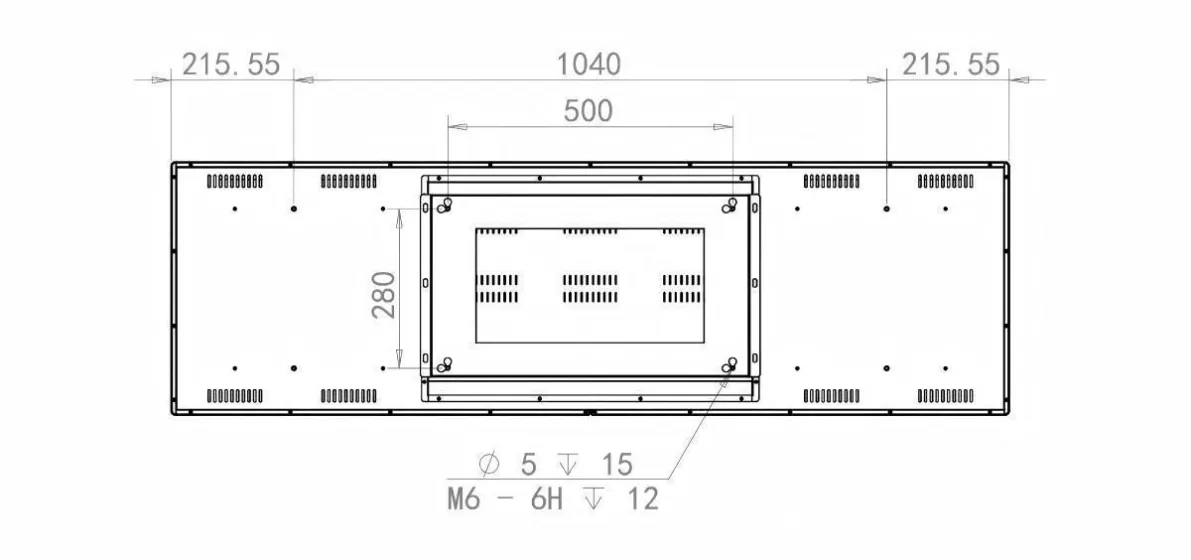
Featured Smart Display Hardware: Explore our flagship 49.5" Ultra-Wide Stretched Bar LCD Monitor with PCAP Touch, 29" Stretched Bar LCD Touchscreen Display, and 37.5" Stretched Bar LCD Screen for retail merchandising and transit passenger information.